What is Dropdown question type?
Dropdown is a compact single-select control for longer option lists such as countries, roles, or products. Add it from Add Block → Dropdown in the Formit builder and edit options in the properties panel. It keeps long lists tidy on mobile compared with a full Multiple Choice list.
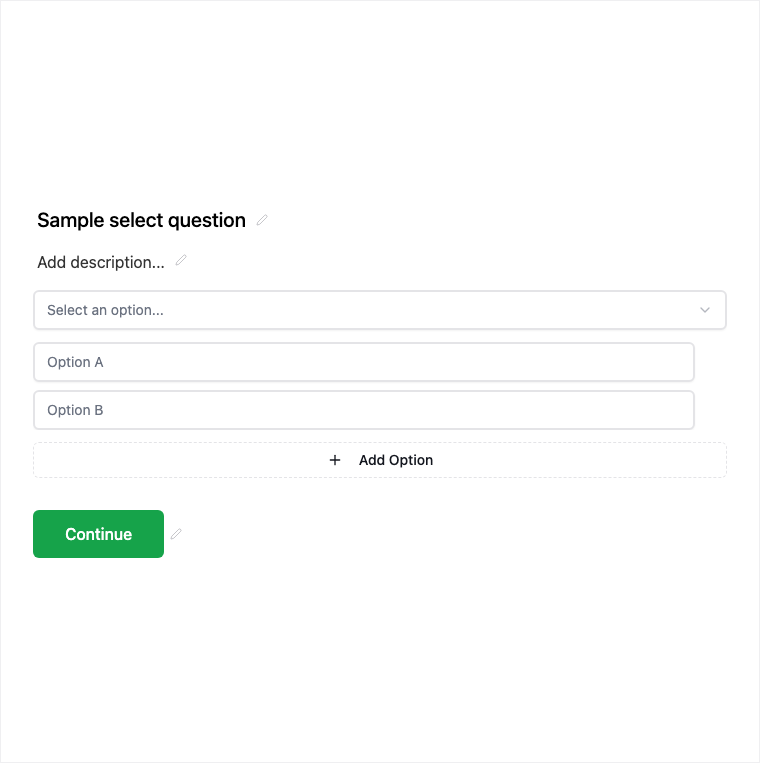
How it works
- 1Add Block → Dropdown on the canvas.
- 2Add and order the option list; keep selection single-only.
- 3Preview on mobile to confirm the compact dropdown UX.
- 4Publish so long-list single selections collect cleanly.
Benefits
- Dropdown UI keeps long option lists compact.
- Single selection only - clear for branching and analysis.
- Works well for countries, roles, products, and similar catalogs.
Use cases
- Country, region, or language selection.
- Role or department pickers on intake forms.
- Product or plan choice from a longer catalog.
Tips and best practices
- Prefer Multiple Choice when you have only a few short options.
- Use Multi-Select if respondents need more than one pick.
- Sort options alphabetically or by frequency to reduce search time.
Frequently asked questions
- Is Dropdown single selection only?
- Yes. Dropdown is single selection only - use Multi-Select for multiple answers.
- When should I use Dropdown instead of Multiple Choice?
- Use Dropdown for longer option lists that would clutter the page; Multiple Choice is better for short visible lists.
- Does Dropdown work well on mobile?
- Yes. The dropdown UI keeps long lists compact on mobile compared with showing every option inline.
Try it in FormitAI
Open the builder, configure this in a real form, publish a version, and share a link or embed. Start free - when a feature needs a paid plan, the builder tells you before you publish.
Open FormitAI