What is Contacts CRM?
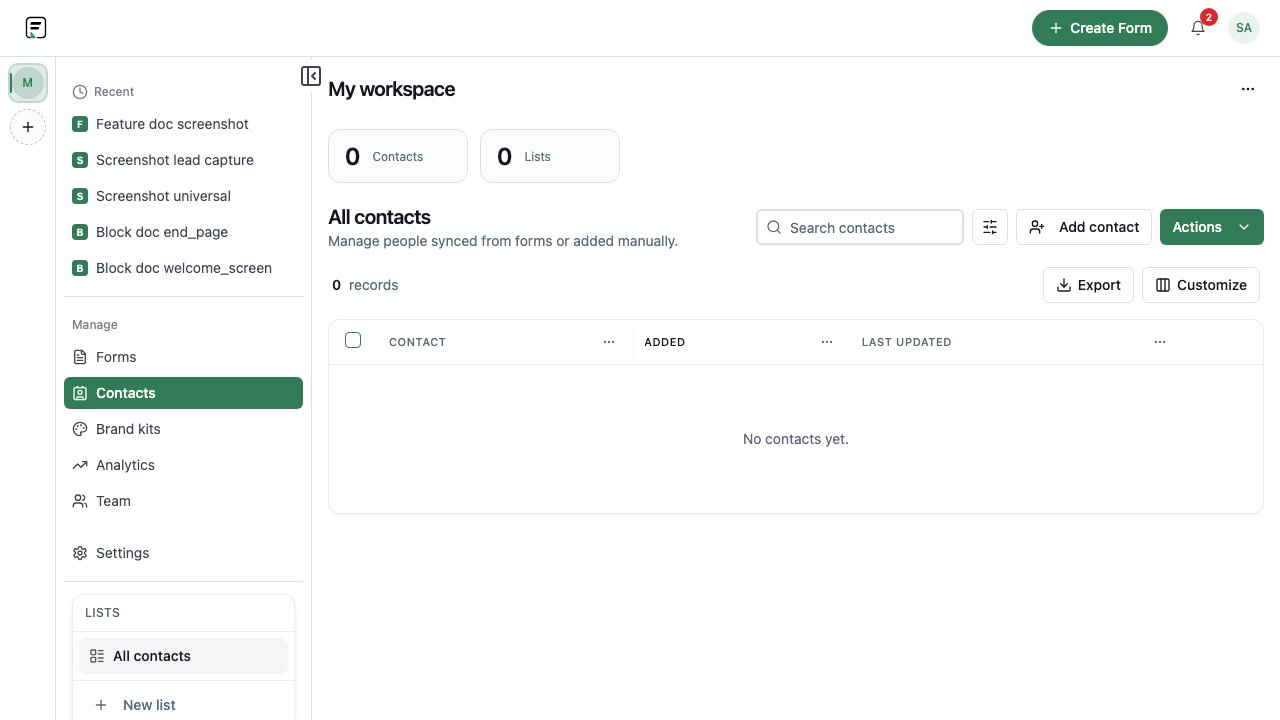
Contacts turns form respondents into reusable people records. Sync from forms that collect email, organize lists, import CSV files, and - on higher plans - enrich contact data. It is a CRM-lite layer inside Formit for lists and respondent history, not a full Salesforce-class CRM.
How it works
- 1Ensure your plan allows Contacts (the feature is plan-gated on Free).
- 2Add an email-capable field (such as Email or Contact Info) to the form.
- 3Enable contact sync for the form and map properties as needed.
- 4Publish and collect responses so contacts are created or updated.
- 5Optionally import contacts from CSV on the Contacts page.
- 6Organize lists and use enrichment on higher plans when available.
Key capabilities
Form contact sync
Create or update contacts from submissions when email is present and sync is enabled.
Lists and properties
Organize contacts into lists and keep structured properties for outreach and reporting.
CSV import
Bring existing people into Formit by importing a CSV from the Contacts area.
Enrichment (Growth+)
Enrich contact profiles on Growth Flow or higher. Some enrichment variables may be unavailable in the UI depending on plan.
Benefits
- Keep respondent identity next to the forms that collected it.
- Reuse contacts across campaigns without re-entering emails.
- Bootstrap lists quickly with CSV import.
- Layer enrichment on higher plans when you need fuller profiles.
Use cases
- Building a lead database from demo and waitlist forms.
- Maintaining event attendee lists imported from a prior CSV.
- Segmenting respondents for follow-up campaigns inside Formit workflows.
Example workflow
A sales team enables contact sync on a demo form with Contact Info, publishes on an eligible plan, and reviews new contacts after the first week. They import a partner list via CSV, add those people to a list, and keep using Formit as a lightweight CRM for form-sourced leads - not as a Salesforce replacement.
Tips and best practices
- Always include a reliable email field before enabling sync.
- Normalize CSV columns before import so properties map cleanly.
- Treat Contacts as Formit’s CRM-lite layer; connect a full CRM via integrations when you need that depth.
Limitations and plan notes
- Contacts is plan-gated on Free - upgrade to use sync and related features.
- Enrichment requires a Growth Flow plan or higher; the UI may hide enrichment controls when your plan does not include it.
- This is CRM-lite inside Formit, not a full Salesforce-class CRM suite.
Frequently asked questions
- Is Contacts available on Free?
- Contacts is plan-gated on Free. Move to an eligible plan to sync and manage contacts.
- Can I import contacts from a spreadsheet?
- Yes. Use CSV import from the Contacts page to bring people in bulk.
- Is this a Salesforce replacement?
- No. Formit Contacts is CRM-lite for respondent lists and sync - not a full enterprise CRM like Salesforce.
Try it in FormitAI
Open the builder, configure this in a real form, publish a version, and share a link or embed. Start free - when a feature needs a paid plan, the builder tells you before you publish.
Open FormitAI