What is Webhooks?
Webhooks let your stack react to Formit lifecycle events without polling Results. Configure endpoints per workspace, choose event types, verify signatures, and inspect delivery status in the product. Completed and partial submissions enqueue form.submission.created or form.submission.partial for subscribed endpoints.
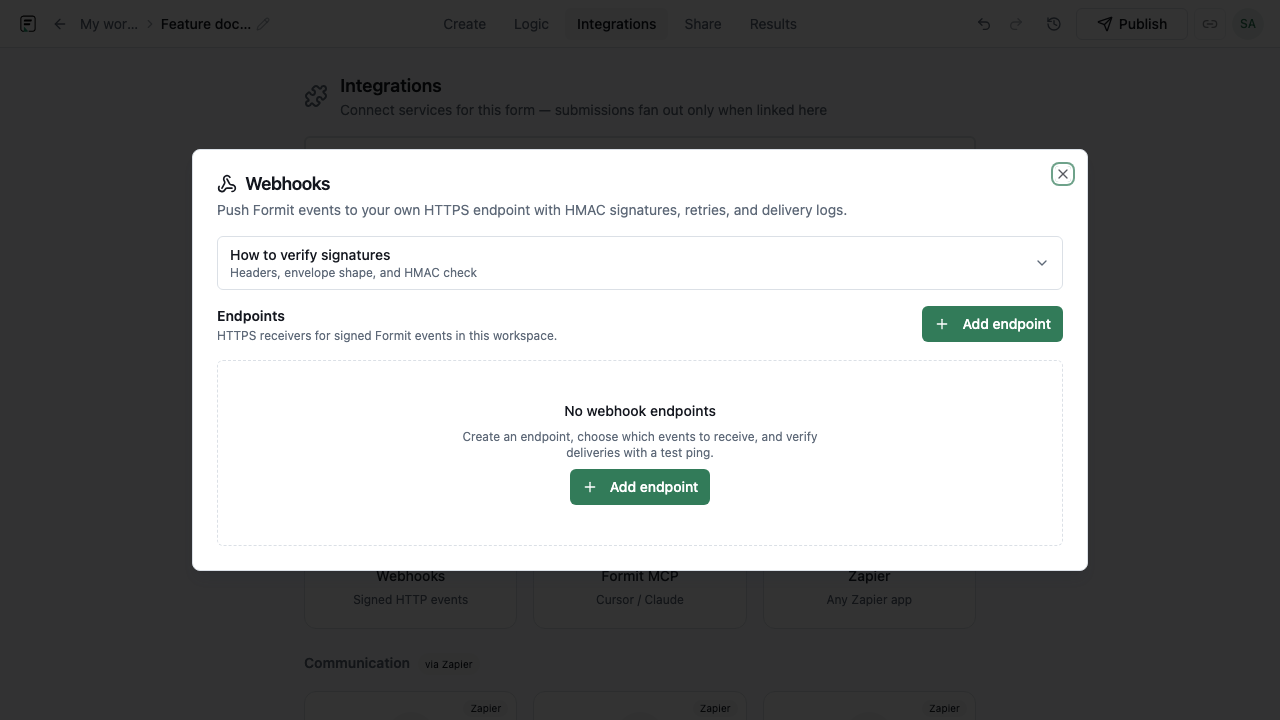
How it works
- 1Open the Integrations tab in the form builder and choose Webhooks. Endpoints apply to the whole workspace.
- 2Add an HTTPS endpoint URL and select event types (for example form.submission.created).
- 3Copy the signing secret when shown and store it on your receiver.
- 4Send a test event to confirm your handler verifies signatures and returns 2xx.
- 5Publish forms and monitor the delivery log for production traffic.
Key capabilities
Submission events
form.submission.created fires on completed submits; form.submission.partial fires when partial responses are collected.
Form lifecycle events
Includes form.published, form.created, form.deleted, and related workspace events.
Signed deliveries
Every delivery is signed with HMAC-SHA256 and timestamped; each endpoint always has a signing secret.
Delivery log and retries
Inspect pending, succeeded, and failed attempts; deliveries are queued with retries.
Limitations and plan notes
- Your receiver must be HTTPS and return success responses for retries to stop.
- Webhook throughput and retention follow product limits - use Slack/Sheets/Zapier for no-code routing when that is simpler.
Try it in FormitAI
Open the builder, configure this in a real form, publish a version, and share a link or embed. Start free - when a feature needs a paid plan, the builder tells you before you publish.
Open FormitAI