What is Logic and branching?
Logic lets a form adapt to each answer: hide irrelevant questions, reveal follow-ups, or jump to later steps and endings. Formit includes cycle detection so branching rules cannot create infinite loops, and the same logic surface works with match and knowledge quiz modes.
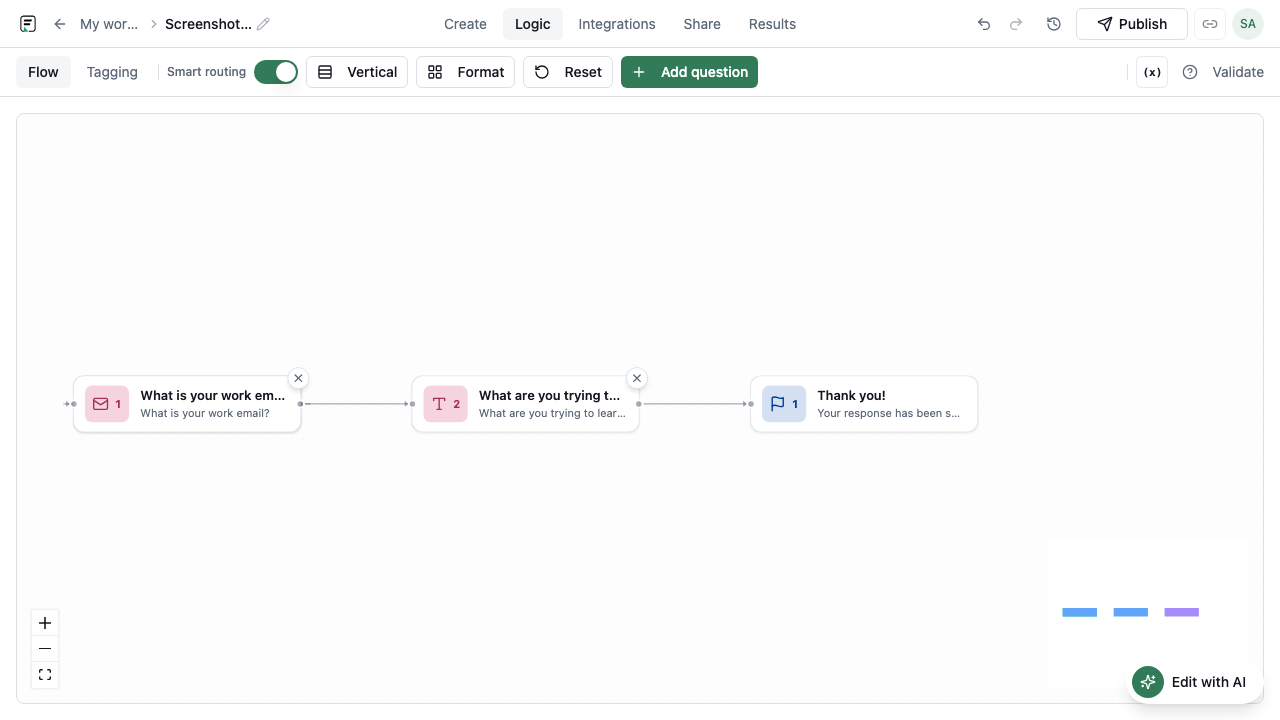
How it works
- 1Open the form in the builder and select Logic for the blocks you want to control.
- 2Add show/hide or jump rules based on prior answers.
- 3Connect paths to later questions or endings where needed.
- 4Use preview to walk each major branch and confirm the respondent experience.
- 5Rely on cycle detection if a rule set would loop - resolve conflicts before publishing.
- 6Publish so live respondents receive the branching version.
Key capabilities
Show and hide
Reveal or conceal questions based on previous answers so the form stays relevant.
Jumps
Skip ahead to later questions or endings when a path should not ask everything in between.
Cycle detection
Formit flags looping branch configurations so rules cannot trap respondents in a cycle.
Quiz-compatible
Branching works with match quizzes and knowledge quizzes as well as standard forms.
Benefits
- Shorter paths for respondents who only need a subset of questions.
- More accurate data because people are not forced through irrelevant fields.
- Safer rule design with cycle detection before publish.
- One logic model across universal forms and quiz modes.
Use cases
- Lead forms that ask company size only after someone selects “business” use.
- Support intake that jumps to the right category ending after a triage question.
- Match or knowledge quizzes that branch based on earlier choices or score paths.
Example workflow
An HR team builds a benefits enrollment form. If the employee selects “add dependents,” follow-up fields appear; if not, those blocks stay hidden. A later jump sends contractors to a shorter ending. After previewing both paths, they publish; cycle detection kept an early draft from looping between two triage questions.
Tips and best practices
- Design the happy path first, then add exceptions as show/hide or jump rules.
- Preview every major branch before publishing, especially endings.
- Prefer fewer, clearer conditions over deeply nested rule stacks that are hard to maintain.
Limitations and plan notes
- Logic only affects the published version respondents fill; republish after rule changes.
- Very complex graphs still need careful authoring even with cycle detection.
- Not every block type may be equally useful as a rule source - test with your field mix.
Frequently asked questions
- What kinds of logic can I configure?
- You can show/hide questions and configure jumps based on answers, with cycle detection to prevent loops.
- Does logic work with quizzes?
- Yes. Branching works with match quizzes and knowledge quizzes as well as standard forms.
- What is cycle detection?
- It helps catch rule configurations that would loop respondents endlessly so you can fix them before go-live.
Try it in FormitAI
Open the builder, configure this in a real form, publish a version, and share a link or embed. Start free - when a feature needs a paid plan, the builder tells you before you publish.
Open FormitAI