What is API keys?
API keys authenticate MCP clients and the public REST API (https://api.formitai.com/v1) for your workspace, limited to the scopes chosen for each key. Keys are optional when MCP OAuth is available, but useful for scripts and clients that expect a static Bearer token. Revoke keys immediately if they leak.
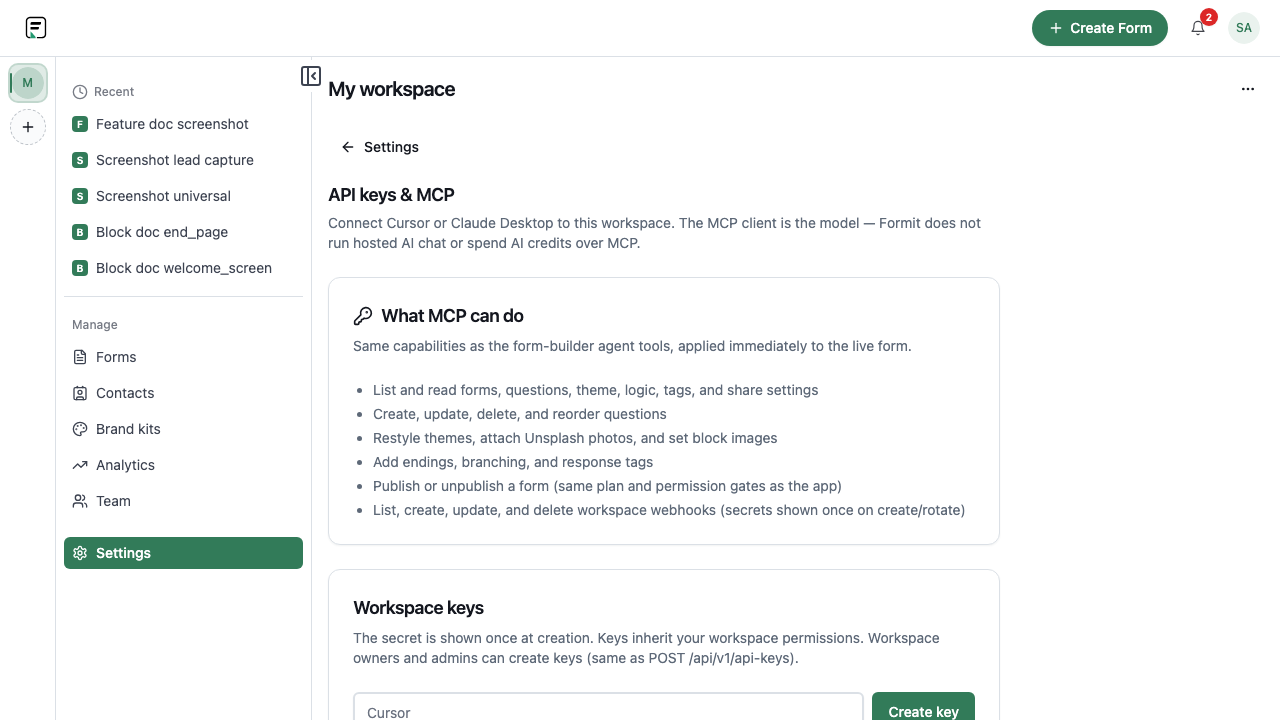
How it works
- 1Open Dashboard → Settings → API keys & MCP.
- 2Create a workspace API key with a descriptive label.
- 3Copy the secret once - it is not shown again.
- 4Paste the key into your MCP client headers or automation script.
- 5To rotate a key, create a new one, switch your clients to it, then revoke the old one. Keys also stop working when their creator leaves the workspace.
Key capabilities
Workspace-scoped secrets
Each key is tied to a workspace context for MCP and API access.
Revoke
Disable a compromised key immediately without changing your Formit password.
MCP Bearer fallback
Use Authorization: Bearer when OAuth discovery is not supported by your client.
Limitations and plan notes
- Keys inherit workspace permissions - Viewer roles cannot mutate forms through MCP even with a key.
- Treat keys like passwords; Formit shows the secret only at creation time.
Try it in FormitAI
Open the builder, configure this in a real form, publish a version, and share a link or embed. Start free - when a feature needs a paid plan, the builder tells you before you publish.
Open FormitAI